

THE SLSS CANAnalyser
Experience cutting-edge CAN bus analysis with the SLSS CANAnalyser, the ultimate tool for engineers and technicians working with CAN 2.0 and CAN FD networks.
- Simplify CAN message monitoring and control.
- Convert raw CAN data into meaningful insights with DBC file support.
- Manage your projects effortlessly with integrated logging and post-analysis tools.
SLSS CANAnalyser is the comprehensive solution for engineers and technicians who need to analyze and interact with CAN 2.0 and CAN FD networks efficiently. With an intuitive interface and powerful feature set, SLSS CANAnalyser offers simultaneous analysis of two channels, providing a complete range of CAN bus functions within reach, while focusing on usability.
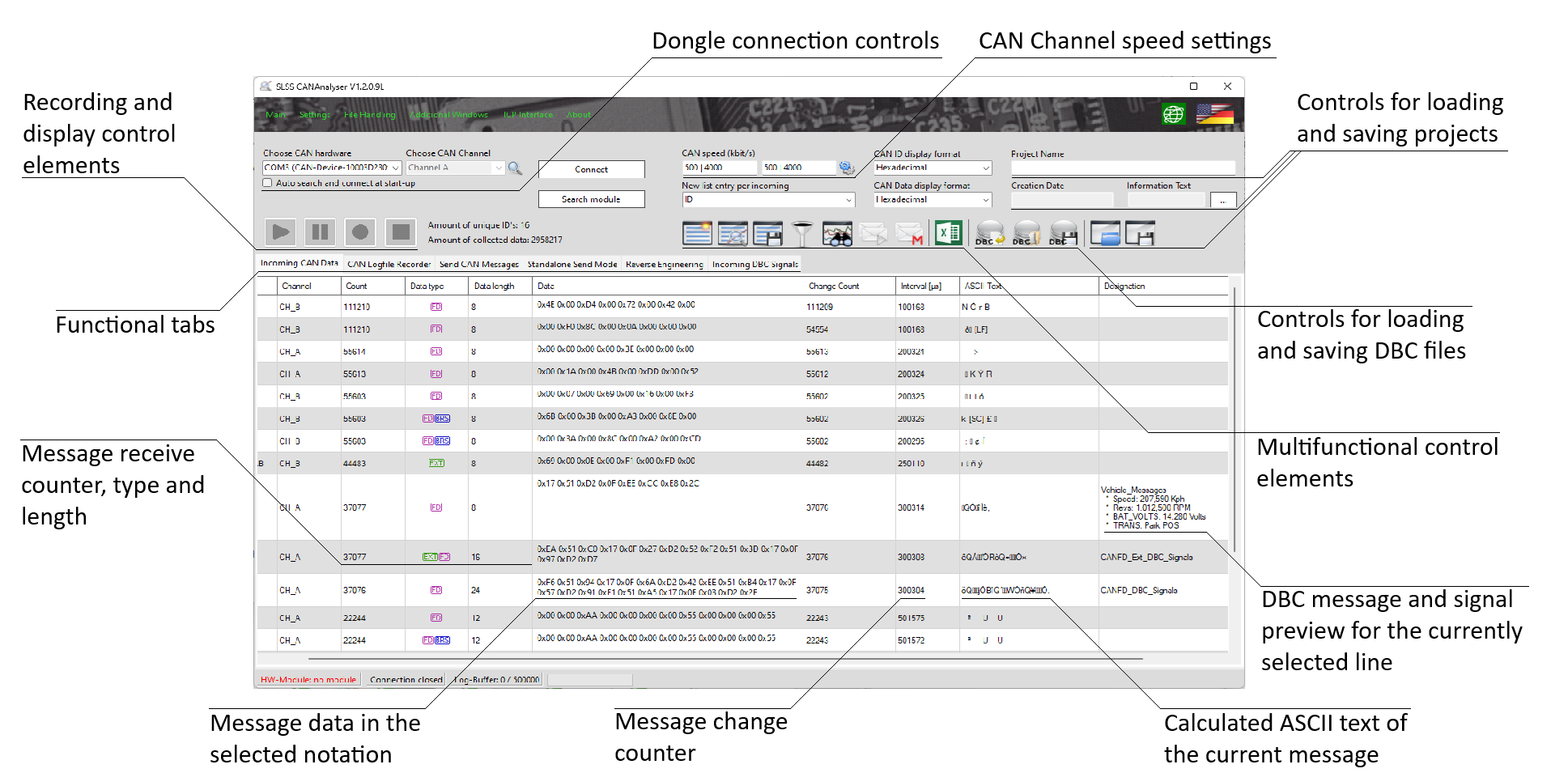
The SLSS CANAnalyser comes with the integrated SLSS DataViewer, with which recorded CAN data can be subsequently analyzed and visualized. The SLSS DataViewer also offers the option of enriching recorded CAN data with DBC file information, which makes it much easier to evaluate physical measured variables.
Thanks to the great combination of our SeRoSys CAN dongle paired with our powerful and comprehensive SLSS CAN software tool chain, we offer engineers and developers a strong and reliable aid for every application, making their work easier and more efficient
System requirement: SLSS CANAnalyser is a Windows application and requires Windows 10 or later. If you work on macOS or Linux, you can still drive Desk CAN Pro and Lab CAN Pro through the documented TCP/IP automation interface.
Documents and Manual
Documentation Bundle
Also available on GitHub. The SLSS-CANAnalyser repository on GitHub carries the installer, the TCP/IP Python examples and the full set of user manuals, with version history and an issue tracker.